🏡 AI Smart Home
Smart Home with AI: Your private AI Agent using LangGraph, LangChain, Ollama to control home appliances which are being controlled via Micro-controllers like ESP32, ESP8266 etc. It is designed to work completely offline & private in nature. Users can interact to the AI with text prompts or voice commands to control the home appliances. This is a prototype which can be improved and modified hugely
📽️ Demo
You can play below Video or click this
Youtube Link
to see the demo. Please let me know in the comments, how do you feel about this App.
💰 Sponsor Me
You can buy me a coffee via
this link
or tap on below image. Thank you 🙏.

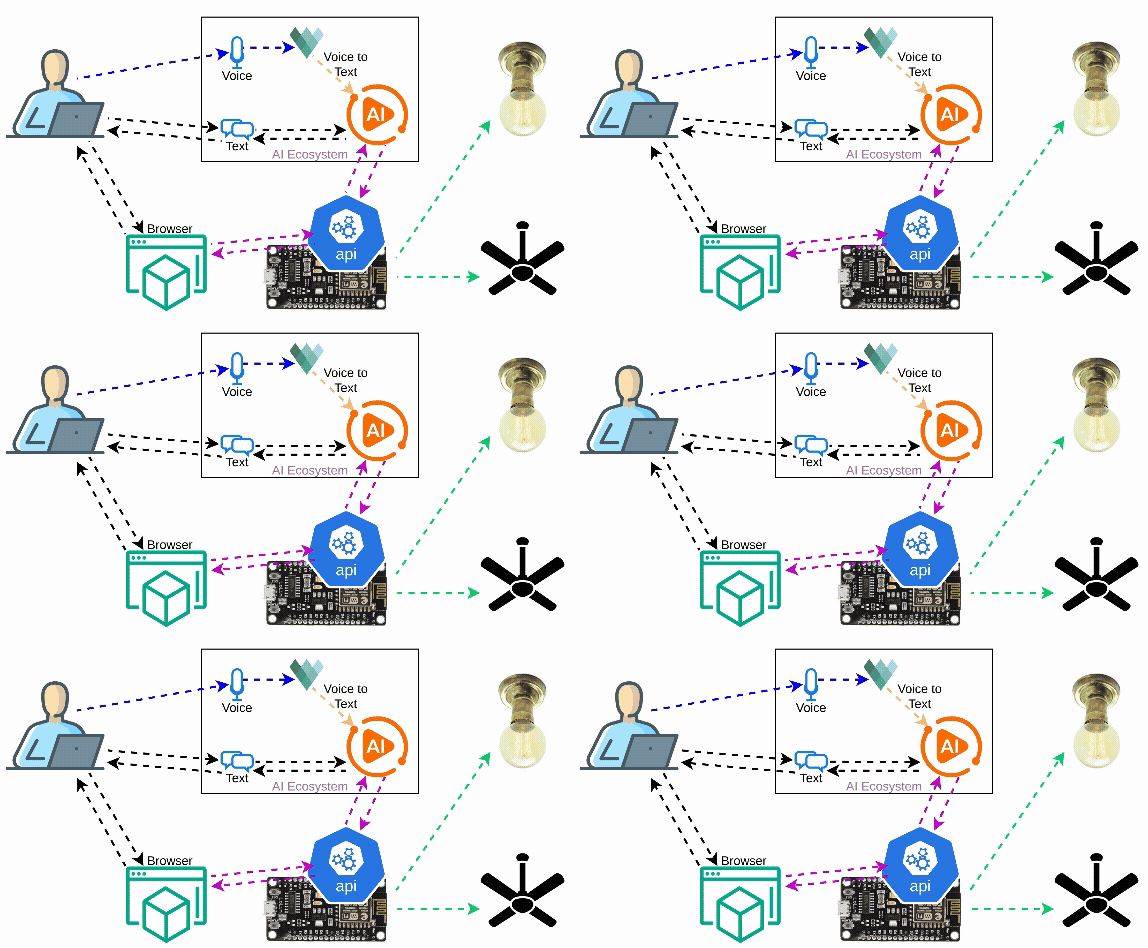
🖧 Our Scematic Architecture
This is the scematic flow
diagram

🧑💻 Quickstart Guide
Let's go step by step.
📘 Code Link
Here is the full codebase on GitHub
🦾 Setting up the ESP8266
-
Below is the scematic connection diagram . Connect your appliances accordingly. You can Checkout my DIY-Video to get more insight.

-
Load the Code on ESP8266 using Arduino IDE
-
Change the code with your WiFi
SSID&Passwordhere - You need to install ArduinoJson library explicitly (Other libraries are managed automatically when we install the ESP8266 Board manager)
-
Optionally, you can upload the
data
folder to static memory using any upload tool such as
LittleFS-DataUpload
to use the direct
HTMLbased website to control the LEDs & bypass theAI. - Finally, upload the sketch (program) from IDE & Volla, your ESP8266 is ready.
🤖 Setting up your AI platform
💻 Run Ollama Backend
-
Install Ollama on your system from the official website
-
Then Pull the required models
🐍 Run the
Python
AI App
You can check the App aiAgents to get more insights
-
Steps to run the App
cd ./aiAgents/ # Install the dependencies pip install -r requirements.txt # virtual environment is recommended # Set the required enviroment variables (use `setx` command on windows) export HOME_API_BASE="http://<your-esp8266-ip>" # This is needed for the AI app to connect to ESP8266 export OLLAMA_API_BASE="http://<your-ollama-ip>:<port>" # Optional: defaults to localhost:11434 export AUDIO_MODEL="<other-vosk-model>" # Optional: default to `en-in` (Indian English small) # Run the APP python app.py -
Access the App at
http://localhost:7860from the same device orhttp://<IP>:7860from another device in the local network.
Please note: themicrophoneaccess would be disabled on other devices as the app is not running onHTTPS.
✉️ Contact Information
Please visit our contact page 👉🏽 Contact Us